Piano Dance Music
- 3.9
- Rating
- 100.00K
- Installs
- Free
- Price

 Analysis by App-foxy
I found Piano Dance Music most enjoyable in short, shared sessions rather than as a game I would leave running for an entire evening. It turns a phone or tablet into a quick rhythm challenge: tiles move toward a timing point, and I tap along while trying to keep the song going. The idea is immediately understandable, which makes it easy to hand the device to someone else without a long explanation. In my experience, that simplicity is its strongest household quality.
The game is free, belongs to the music category, and comes from violetkimi. It is aimed at Everyone, so it can fit a mixed-age home more naturally than a game built around mature themes. Its average rating is 3.9 from over three hundred ratings, while the game has passed one hundred thousand installs. Those figures suggest a modest but real audience rather than a huge mainstream hit, and they match my impression: this is a straightforward casual rhythm game that depends more on immediate playability than on a large social identity.
How Piano Dance Music works when one device is shared
The most practical way to use it at home is as a turn-based activity. One person plays a song, tries to maintain a clean sequence, and then passes the device to the next player. Because the central action is tapping tiles in time, nobody needs to learn a complicated control scheme. A younger player can start by concentrating on the visible pattern, while a more experienced player can focus on timing and avoiding mistakes.
You May Also Like

 AccuWeather: Weather Radar
AccuWeather Review: A Quick, Clear Forecast for Everyday Decisions
For everyday plans, the best forecast is the one you can understand quickly. AccuWeather makes rain timing, radar, and local conditions easy to act on, with a few trade-offs.

 Hill Climb Racing
Why Hill Climb Racing Still Turns Crashes Into One More Run
A tiny car, a bumpy hill and one more upgrade: Hill Climb Racing keeps resurfacing because its simple chaos makes every near-miss feel personal.

 AliExpress - Shopping App
AliExpress Makes Global Shopping Feel Personal, but Shoppers Bear the Risk
AliExpress turns a global marketplace into a pocket-sized discovery engine. Its reach is useful, its shopping loop compelling, and its trade-offs easy to miss.

 Lords Mobile: Kingdom Wars
Lords Mobile Is a Kingdom-Building Routine, Not a Quick Match
A case-by-case verdict on the building, battles, device demands, and social commitments that make Lords Mobile rewarding for some players and exhausting for others.

 PDF Scanner app - TapScanner
TapScanner Makes Paperwork Easier to Capture, Check, and Share
TapScanner makes scanning with a phone feel less like a rescue operation and more like a dependable step in getting work done. Its capture tools are useful, though not flawless.

 Block Blast!
 Shows How Much a Puzzle Game Can Leave Out
A quiet grid game shows why puzzle players increasingly value instant clarity, repeatable skill and low-pressure play—and where the genre still needs to catch up.
More From Our News Desk
View All News


This makes it useful in small gaps during the day. I can imagine using it while waiting for another household member to finish getting ready, during a quiet break, or when two people want a lightweight activity without setting up a console. It also works when only one device is available, since the game does not need every person to have an account or a separate controller in order to create a simple challenge.
There is a subtle difference between playing alone and playing with others. Alone, I treat the song as a concentration exercise and replay sections to improve my rhythm. With another person watching, the same tap pattern becomes a friendly test of consistency. The game does not need elaborate multiplayer systems to support that kind of interaction; the device itself becomes the shared object.
That said, the shared-device experience has a natural limit. The game is still designed around one player touching the screen at a time, so it is not a simultaneous family game. If your household wants cooperative play where two people act together, or a competitive mode with separate progress for each participant, a dedicated multiplayer rhythm title will be a better fit.
What to settle before handing over the phone
On a shared phone or tablet, I would decide in advance who is using the device and for how long. This is not because Piano Dance Music requires a complicated setup, but because quick games can easily turn into “one more try” sessions. A simple rotation—one song or one attempt per person—keeps the activity pleasant and avoids an argument over whose turn it is.
I would also keep expectations realistic about personal progress. If several people use the same device, the visible experience may reflect whoever played most recently. That can make it harder to remember which patterns were difficult for each person, especially when the game is being used casually. For a household that cares about individual records, a separate device or a written note of personal goals may be more practical than treating one shared screen as a complete player profile.
This is one of the more important trade-offs: shared access is convenient, but it can blur individual ownership of progress. The game works well as a common activity, yet it should not automatically be treated like a personal training log for several players. I would use it for short challenges and entertainment, not as the sole place where a family tracks improvement.
Another useful boundary is volume. Rhythm games are more enjoyable when the timing can be heard, but a household may not always want music playing aloud. Before starting in a quiet room, I would check the device volume and consider headphones where appropriate. That small habit prevents the game from interrupting someone else’s reading, work, rest, or conversation.
The game is free, which removes the most obvious barrier to trying it. Even so, “free” does not mean every household decision disappears. A child using a shared device may still be able to open other parts of the phone, change the volume, or interrupt whatever someone else was doing. I would therefore hand over the device deliberately rather than leaving it unattended as a general activity station.
Why the tapping feels better than a generic time-killer
The appeal is not simply that tiles move on a screen. The timing creates a small feedback loop: I see the next action, listen for the musical pulse, tap, and immediately know whether my attention was in the right place. That loop gives the game more focus than a basic matching or idle game, while remaining much less demanding than a full music-learning application.
I found it helpful to watch the lane for the next few tiles instead of staring at only the one closest to the tapping point. Looking slightly ahead reduces sudden reactions and makes the sequence feel more controlled. This is a useful technique when passing the device between players, because it gives a beginner something concrete to practice without turning the session into a lesson.
A second practical tip is to treat the first attempt as a calibration round. Rather than trying to achieve a perfect run immediately, I would listen to the rhythm and notice whether my taps are early or late. Once I understand the pace, the next attempt becomes less frantic. This matters on a touchscreen, where finger placement and visual attention can make a simple pattern feel unexpectedly tense.
I also prefer short attempts over repeated play until frustration sets in. Rhythm games can encourage perfectionism, particularly when a player is close to completing a song but makes one late tap. In a shared setting, stopping after a good attempt keeps the mood lighter and gives the next person a fair turn. The game is at its best when accuracy is a playful challenge, not a reason to argue with the screen.
Age, trust, and the boundaries of a child-friendly session
The Everyone age rating makes Piano Dance Music easier to consider for a mixed-age household. Its basic concept is accessible, and the music-game format can appeal to children, teenagers, and adults without requiring the same interests. A child who enjoys tapping games can start immediately, while an adult can still find a little satisfaction in improving timing.
Still, an age rating should not replace ordinary supervision on a shared device. I would pay attention to how long a child plays, whether the sound level is comfortable, and whether the device is being used for its intended purpose. The game’s simplicity makes it easy to pass around, but that same simplicity can encourage repeated attempts long after the activity has stopped being enjoyable.
Trust also matters between household members. If a child borrows a parent’s phone, or siblings share a tablet, it helps to make the boundaries clear: do not change unrelated settings, do not interrupt another person’s work, and return the device when the agreed turn ends. These are household rules rather than game features, but they determine whether a casual rhythm game becomes a pleasant shared habit or a source of friction.
I would be especially careful not to promise a child that the game will preserve a private personal history on a shared device. The practical experience is closer to picking up and playing than to signing into a carefully separated learning environment. If individual identity, private progress, or strict account separation is important, a game with clearly defined player profiles is the safer choice.
Where it sits beside other music games
Compared with a piano-learning app, Piano Dance Music is much more approachable but far less educational. I would not use it to learn notes, hand position, scales, or real keyboard technique. Its value is in timing, attention, and quick entertainment. Someone who wants structured musical instruction should choose an app built around lessons and practice feedback instead.
Compared with larger rhythm games, it feels more suitable for a quick start. There is less of a barrier for a person who does not already understand rhythm-game conventions. On the other hand, players who want deep customization, extensive progression, online competition, or a strong long-term collection may find the experience too narrow. The simpler design is an advantage for casual use, but it is also the reason the game may lose its appeal for dedicated genre fans.
It is also different from listening to music passively. I cannot simply let a song play in the background and expect the same experience; my attention is part of the activity. That makes it a good choice when I want a small mental break, but a poor choice when I need something that can run while I cook, work, or talk. It asks for active participation even though the controls are easy.
For a family, this middle position is useful. It is more interactive than a music player, less demanding than a serious rhythm challenge, and less instructional than a piano course. The right question is not whether it replaces all of those options, but whether the household wants a free, tap-based activity that can be understood in moments.
Technical fit and everyday expectations
The current version is 5.7.0, and the game supports Android 7.0 or later. That gives it a reasonable place on many older Android devices, although the actual comfort of play will still depend on the screen, touch response, and general condition of the phone or tablet. A small screen can make tile timing feel tighter, while a device with delayed touch input can make accurate play more frustrating than the game itself deserves.
Before judging my performance, I would check whether the screen is clean and whether another app is slowing the device down. A rhythm game exposes small delays more clearly than many casual titles. If taps seem consistently late despite careful timing, the problem may be the device or the playing environment rather than my sense of rhythm. This is an important household tip when several people assume one player is simply “bad” at the game.
The game’s free entry also makes it suitable for trying on a spare family device before deciding whether it deserves a permanent place. I would test it with the youngest intended player first, then with an adult who enjoys music games. If both can understand the action without repeated explanation, it has probably found its natural audience in that home.
Because the game is compact in concept, I would not expect it to solve every need within a shared entertainment library. It is a focused activity, not a complete family hub. That focus is refreshing when I want a fast round, but it means I would pair it with other options for longer gatherings or for players who need more variety.
My household verdict
I recommend Piano Dance Music for households that want an uncomplicated rhythm game to pass between people. Its strongest use is a short, informal challenge: one person taps through a song, another watches for mistakes, and the device moves to the next player. The Everyone rating, free price, and low learning curve make that arrangement easy to try without asking the family to commit to a complicated game system.
I would skip it if your priority is formal piano practice, deep competitive play, simultaneous multiplayer, or carefully separated profiles for every member of the household. Those needs call for more specialized alternatives. I would also avoid presenting it as an unattended activity for children simply because the age rating is broad; shared-device rules and sensible time limits still matter.
My final impression is positive but specific. Piano Dance Music is best understood as a friendly, pick-up-and-play music challenge, not as a replacement for a piano teacher, a full rhythm-game platform, or a personal progress tracker. When used in that role, it gives a family an easy way to turn a spare few minutes into a focused, lighthearted activity. The game’s success depends less on advanced systems and more on choosing the right moment, setting a clear turn, and enjoying the rhythm without demanding more from it than it is designed to provide.
FAQs for Piano Dance Music
01What features does Piano Dance Music offer?
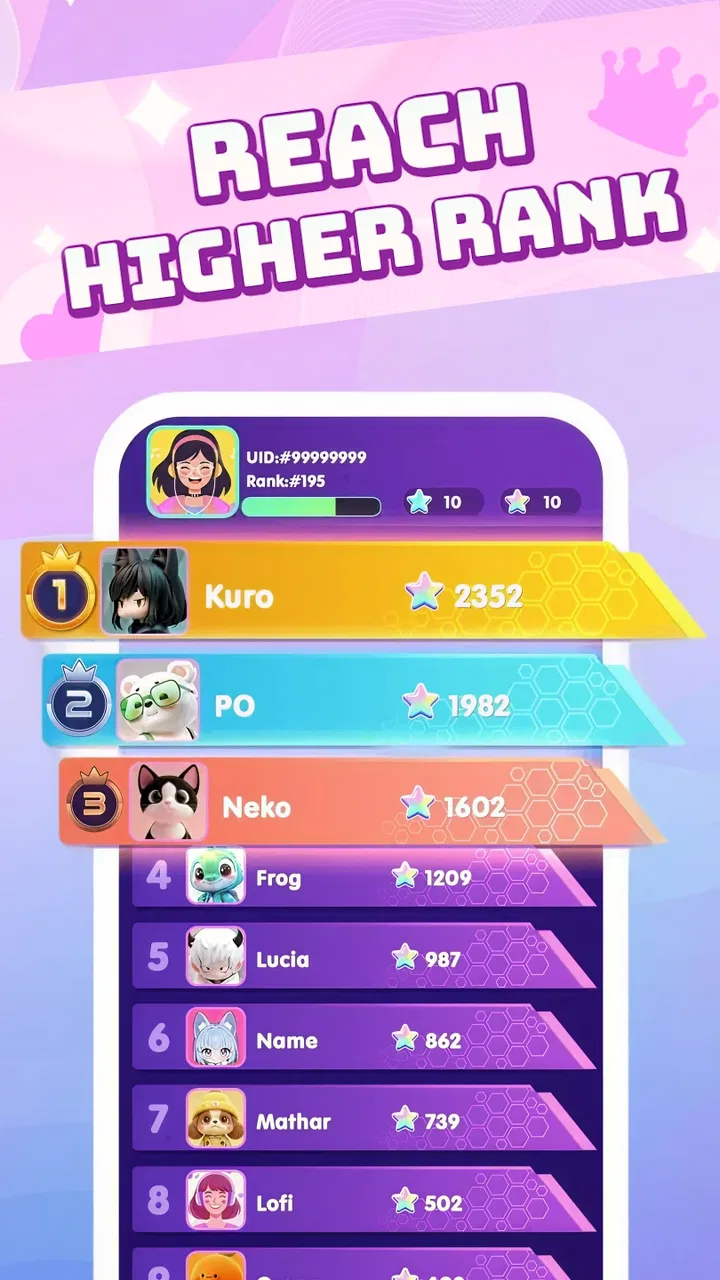
Piano Dance Music offers a unique blend of rhythm-based gameplay combined with beautiful piano melodies. Users can enjoy a variety of songs from different genres, and the app includes multiple difficulty levels to accommodate beginners as well as seasoned players. Additionally, it features a leaderboard system to compete with friends and global players.
02Is Piano Dance Music available for both Android and iOS devices?
Yes, Piano Dance Music is available for download on both Android and iOS platforms. Users can find it on the Google Play Store for Android devices and the Apple App Store for iOS devices. Be sure to check the compatibility of the game with your device’s operating system version before downloading.
03Does Piano Dance Music require an internet connection to play?
While Piano Dance Music can be played offline, certain features, such as leaderboard updates and downloading new songs, require an internet connection. Playing offline limits some functionalities, but users can still enjoy the main gameplay without interruptions. Make sure to connect online periodically to access the full range of features.
04Are there any in-app purchases in Piano Dance Music?
Piano Dance Music is free to download and play, but it does offer in-app purchases. These may include additional song packs, ad removal, or special game modes. While these purchases can enhance the experience, they are not necessary to enjoy the core gameplay, allowing users to progress without spending money.
05How can I troubleshoot performance issues in Piano Dance Music?
If you experience performance issues, such as lag or crashes, try restarting your device or closing unused apps running in the background. Ensure your device has the latest operating system updates. If problems persist, reinstalling the app might help. For further assistance, you can contact the app’s support team through the contact information provided in the app store listing.
Pros
- Intuitive interface for easy learning.
- Wide variety of songs to play.
- Customizable difficulty levels.
- Offline mode available for practice.
- Regular updates with new content.
Cons
- Ads can be intrusive at times.
- Limited free song selection.
- Some features require in-app purchases.
- Occasional lag on older devices.
- No multiplayer mode for competition.

Piano Dance Music
Gallery